
One pass, no checkpoints
Script, visuals, and shots all generate from a single prompt
Staged, with checkpoints
Each stage is reviewed and approved before the next begins
The problem
“I don't think I'm smart enough for this tool.”
P3 clicked 12 times. Each time the AI returned something different, never closer. After the twelfth attempt, she stopped.
She is. Studio Engine.ai collapses professional pre-production (script, characters, props, storyboard) into one prompt. The power was real. The mental model assumed expertise most users didn't have.
HMW
How might Studio Engine.ai Gen-2 serve both professionals and emerging creators, and convert free users to paid?
Research
AI was treated as a one-shot oracle.
We tested three workflow phases. Task 2 is where the experience broke.
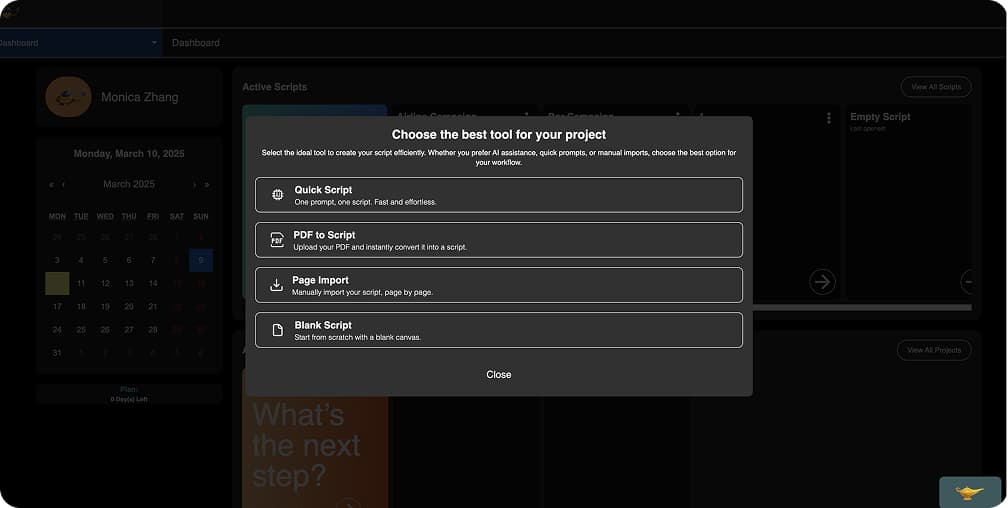
Task 01 · Script
Script generation: manageable
5 / 6 completed
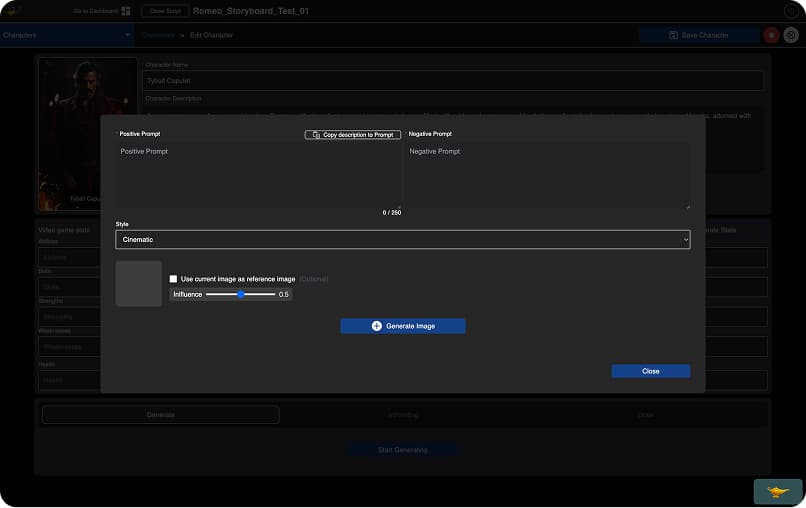
Task 02 · Visual editing
Visual editing broke for everyone
2 / 6
completed character edit
3 / 6
completed location edit
- AI output unpredictable: 6/6 clicked regenerate repeatedly with no convergence; had no way to communicate what was wrong
- No recovery path: 3/6 lost work permanently when regenerating; there was no undo
- Inpainting invisible: users found the button but had no mental model for what it would affect or how to use it
- 4-screen editing path: changing a character's hair required: project overview → character list → character editor → inpainting tool. 6/6 lost context mid-flow
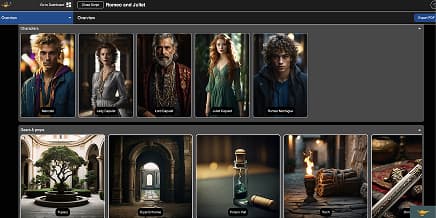
Task 03 · Storyboard
Storyboard: friction but functional
4 – 5 / 6 completed
AI-native principle
Designing control around AI uncertainty.
What makes text-to-video UX different
Traditional tools: cursor touches output. Intent equals result.
AI tools: system interprets, generates, surprises. The gap between intent and output is where trust breaks.
New control patterns needed
- Compare optionsVariations, not verdicts
- Recover historyEvery generation reversible
- Stage generationReview before next phase
- Show progressPipeline legible in real time
- Explain AI actionsSurface what the model did
Design framework
From One-Shot Generation to Staged Creative Control
The five control patterns above need somewhere to live. I mapped them onto a staged creative workflow so each pattern has a home in the product, not just in the model.
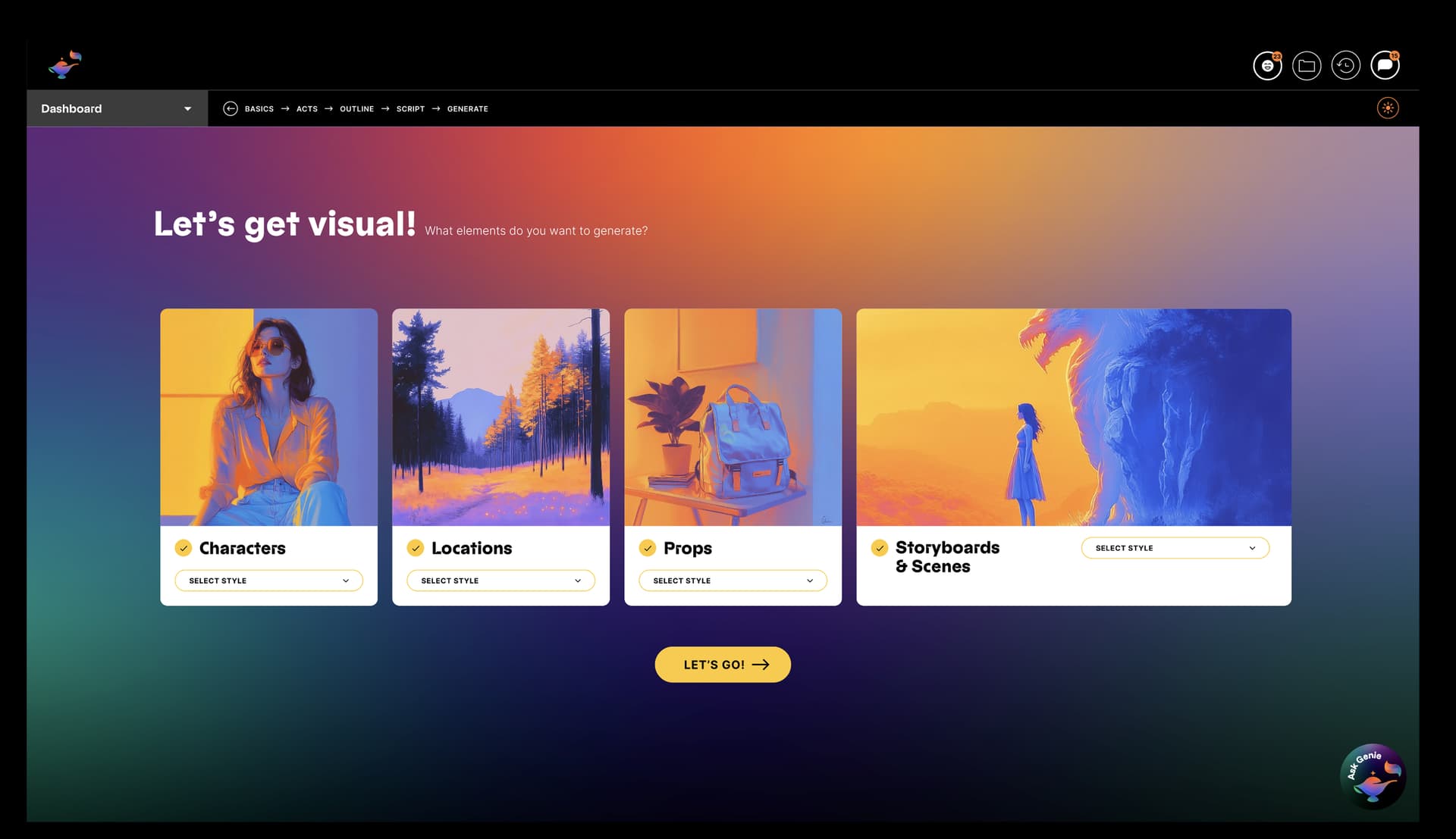
Two layers, one system. The 4-stage pipeline shown at the top (Basics → Outline → Script → Visuals) is the AI generation flow. The 5-area IA below wraps around it: an entry point (Input), the pipeline itself (Basics, Visuals), and post-generation work (Edit, Manage).
Input
“What am I trying to make?”
Capture creative intent before asking for detailed production choices.
Basics
“Is the story direction right?”
Let users review the story foundation before visual generation begins.
Visuals
“Which assets match my intent?”
Turn AI output into selectable options, not a single verdict.
Edit
“How do I refine without losing context?”
Keep preview, controls, references, inpainting, and version history in one workspace.
Manage
“Where does this project live next?”
Give users a clear place to organize, export, and continue projects.
Decision 01
Reframe AI: from oracle to collaborator
6/6 participants encountered AI outputs they couldn't steer, the study's highest-severity finding. The product gave one output and waited for acceptance. If it was wrong, the only option was to regenerate and hope.
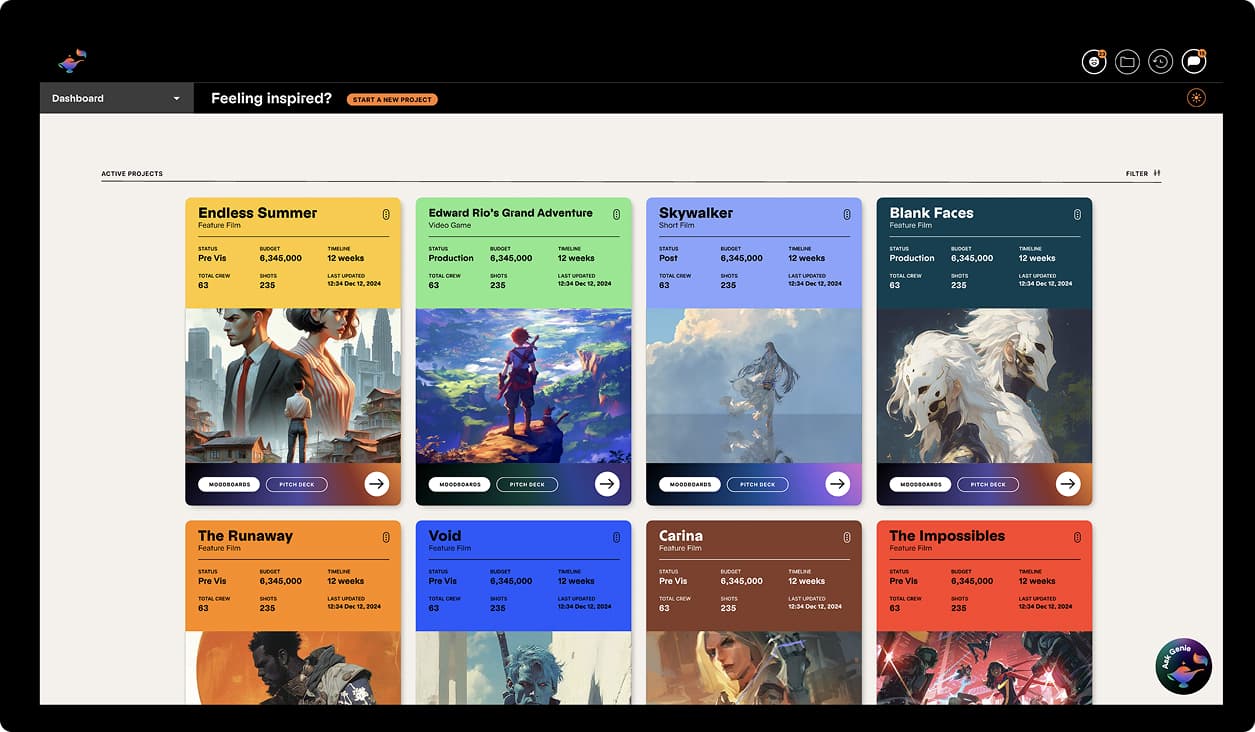
Gen-2 makes two structural changes. Visual generation is gated behind a script checkpoint: users review and commit the script before any images run, so a bad prompt doesn't cascade into dozens of wrong assets. When visuals do generate, the interface returns three variations at once: pick the closest match, regenerate that specific option, or save it to history. The AI shifts from decision-maker to collaborator.
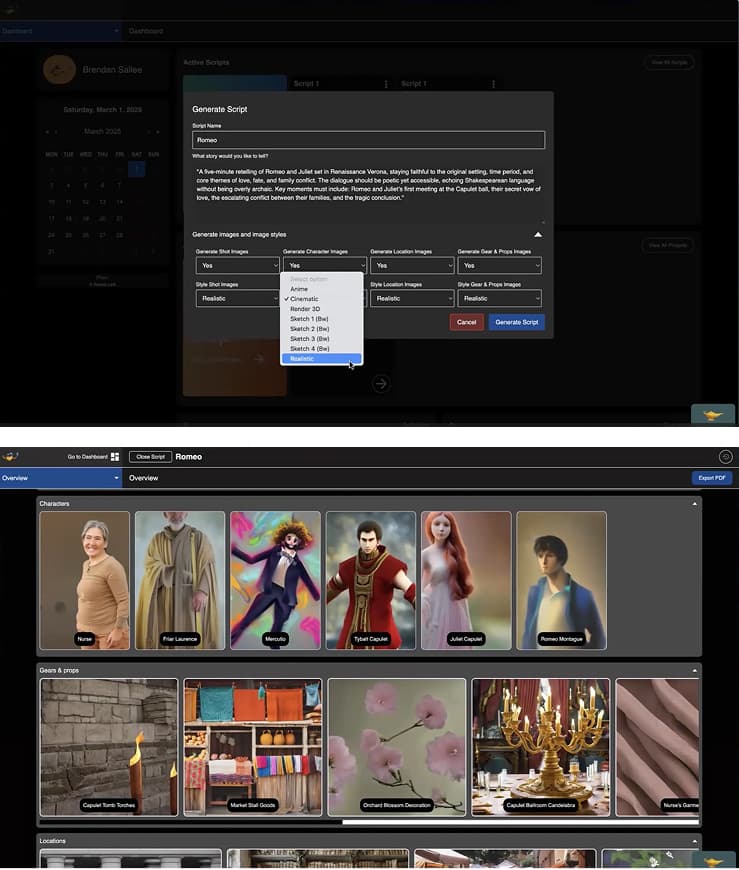
Before: one output per generation. Accept or restart.
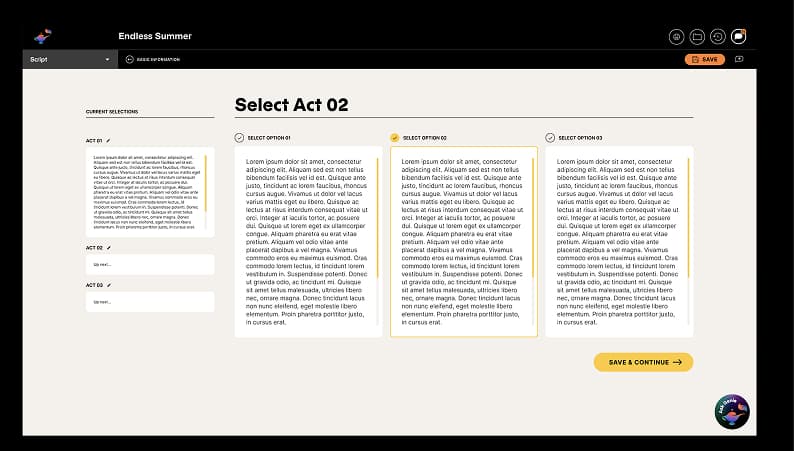
After: 3 variations at once. Pick, iterate, or save to history.
Decision 02
Make generation reversible
3/6 participants lost work to regeneration with no undo. A generation history panel saves every output: return, compare, or recover at any point.
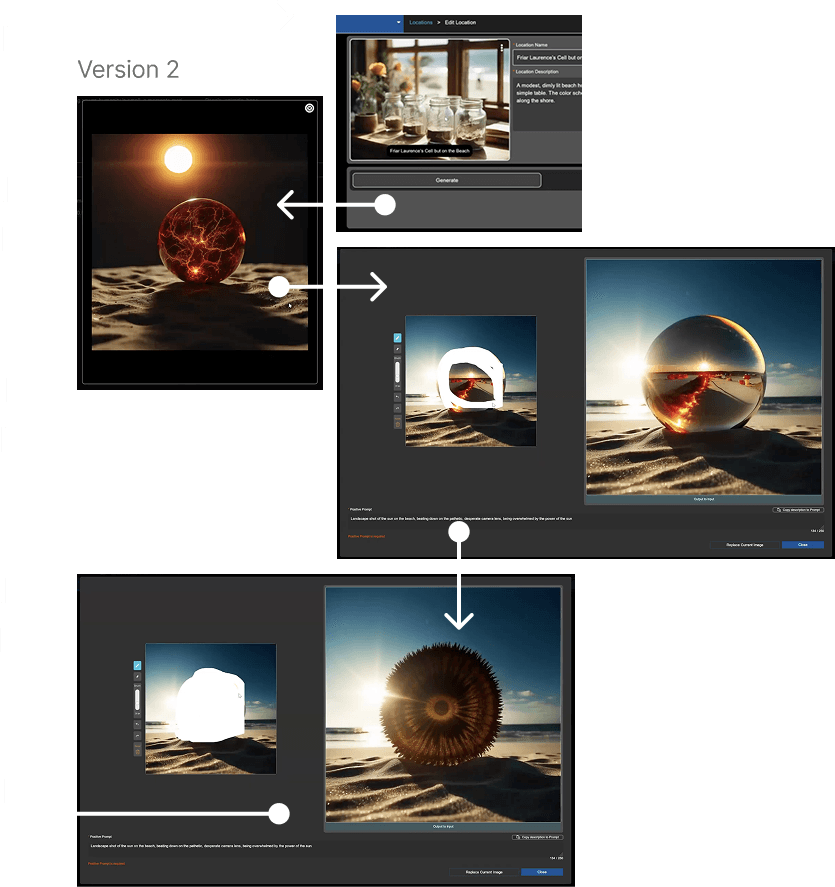
Before: regeneration overwrote previous work with no way back.
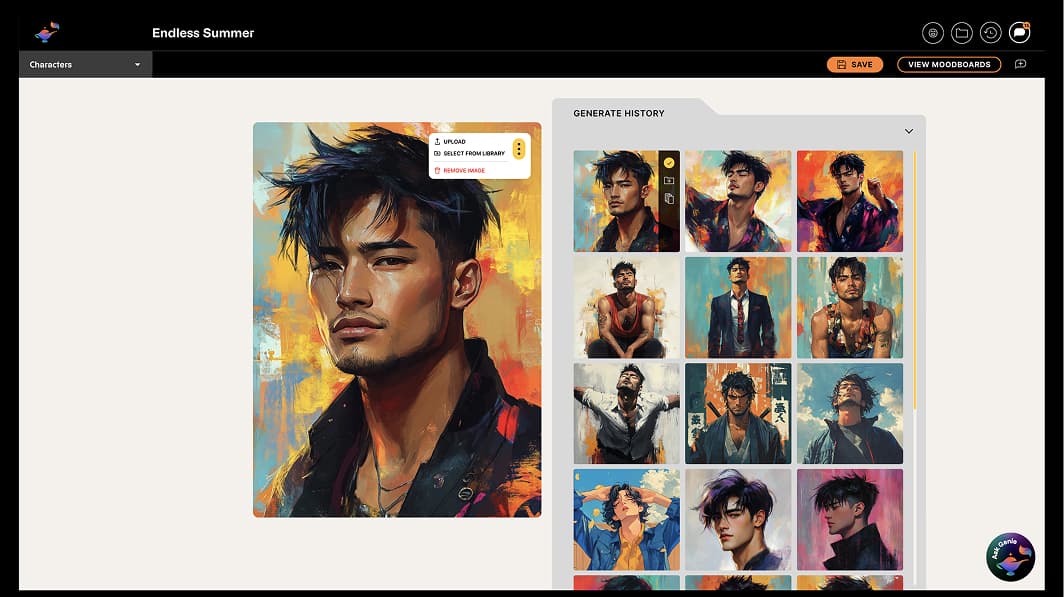
After: every generation is saved. Return, compare, or recover at any point.
Decision 03
Bring editing onto one surface
Character editing required 4+ screen transitions. Only 2/6 completed it, the study's lowest success rate. A consolidated panel puts generation, inpainting, and history on one surface.
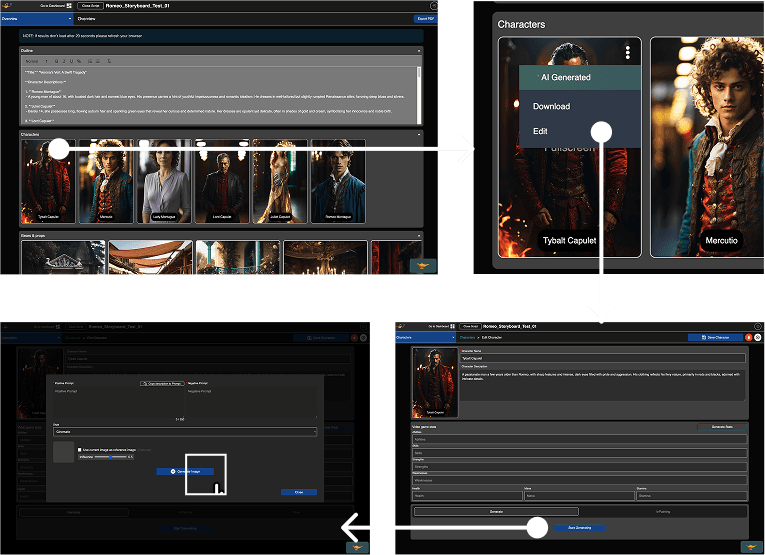
Before: visual editing was split across multiple pages.
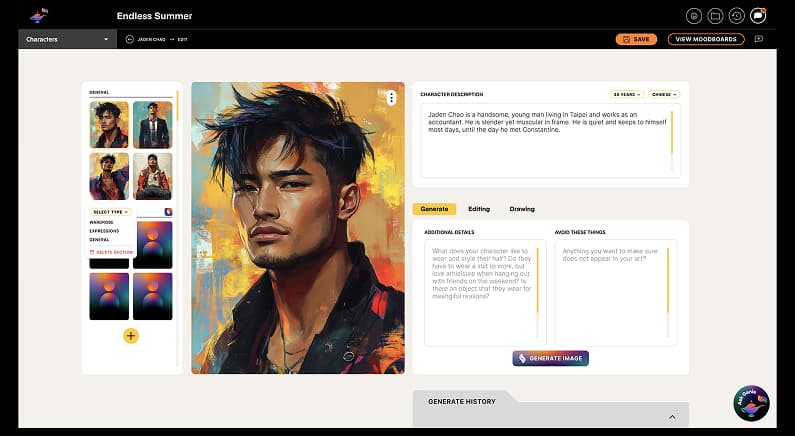
After: generation, inpainting, references, and history live in one workspace.
Outcomes
What shipped, and what's still open
The framework was adopted as the direction for Gen-2: a script-locked checkpoint before any visuals run, multi-option visual output, a generation history panel, and a consolidated editing workspace.
We did not get to A/B the redesign in production before I left the engagement, so I can't claim a conversion or retention number. What I would track in the next round, and what success would look like, is below.
Visual editing completion
Baseline · 33–50% (study)
Target · ≥ 80%
T3 / T4 in the usability study, the lowest-success tasks.
Regenerations per asset
Baseline · Not tracked
Target · Trending down over a session
A proxy for convergence: users getting closer, not just trying again.
History panel adoption
Baseline · n/a (new surface)
Target · ≥ 60% of users use it within first 3 sessions
Tests whether reversibility is felt, not just available.
Session → export ratio
Baseline · Not tracked
Target · Improves vs. Gen-1
End-to-end signal that the staged pipeline produces finished work, not just drafts.
Design takeaways the research validated
Options, not verdicts
AI should return choices, not one final answer.
History, not overwrite
Every generation should be recoverable.
One workspace
Editing should stay in context.
Progress, not waiting
Generation should feel active, not frozen.
Reflection
What I would do differently, and push next
The framework holds, but three things stand out when I look back at the study and the redesign.
What I underestimated
How much of the trust gap was language. Terms like “InPainting” and “Storyboard” meant different things to different participants. Naming would have been worth another round of research time.
What I’d test first
Gen-2 prototypes with 6–8 new participants, focused on the visual-editing flow (the 33% completion drop). Then a 4–6 week longitudinal study, moving from “can I complete this?” to “does this tool grow with me?”
What I’d push next: Ask Genie
Hover tooltips were a temporary scaffold, not a teaching system. The next step is an agent layer that watches user actions, explains tools like Inpainting in the moment, and proactively suggests the right control pattern, embedded in the editor, not a chat box beside it.